Schita · Visual studio · Coming soon
Visuals in your brand, from one brief. In every format at once.
Schita is Varf’s visual studio, coming soon. You’ll write what you are announcing, pick the formats, and Schita will generate three backgrounds for each, with your text on separate layers in your brand’s colors, fonts and logo. The screens on this page are previews.
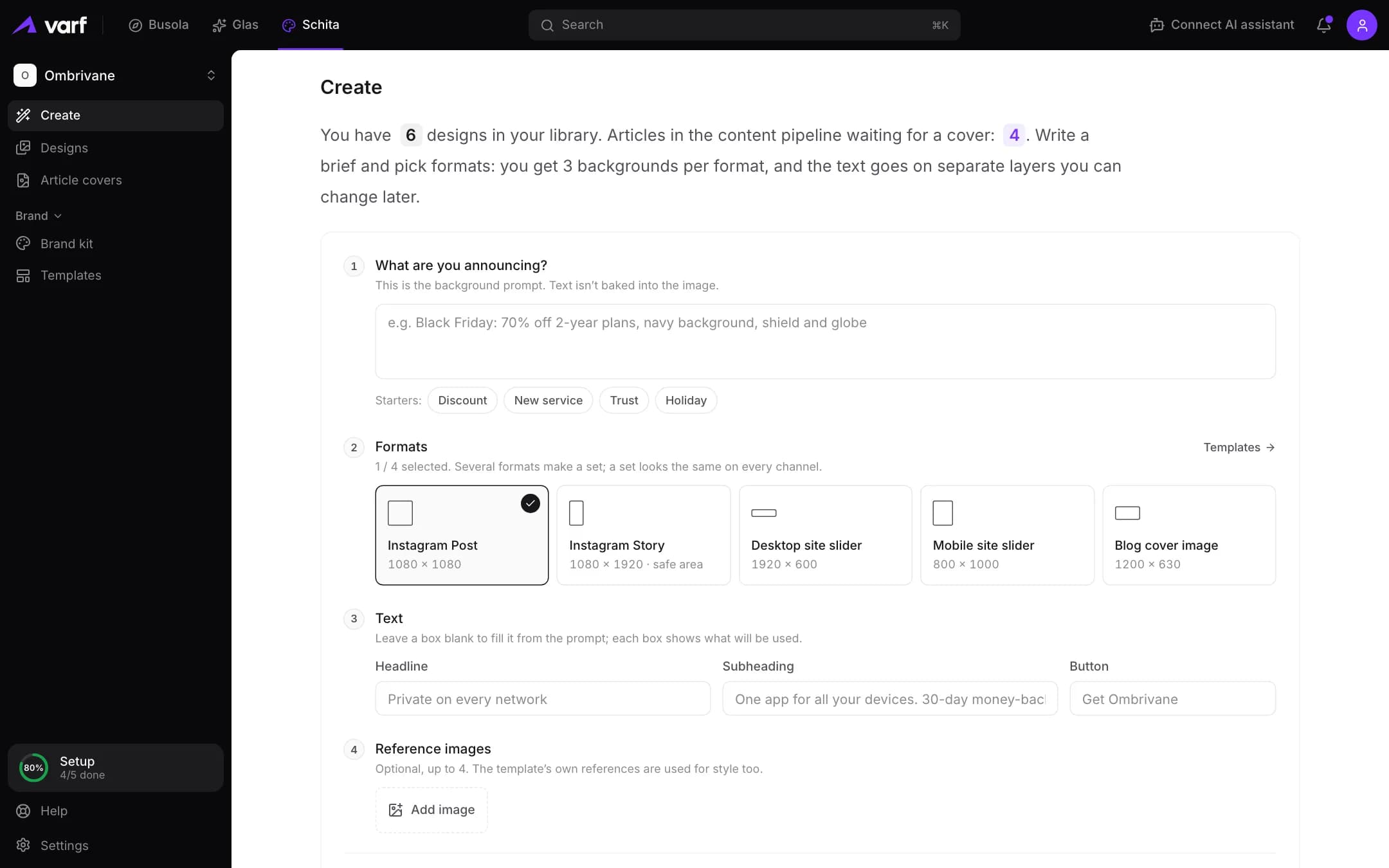
Create
One brief, every format.
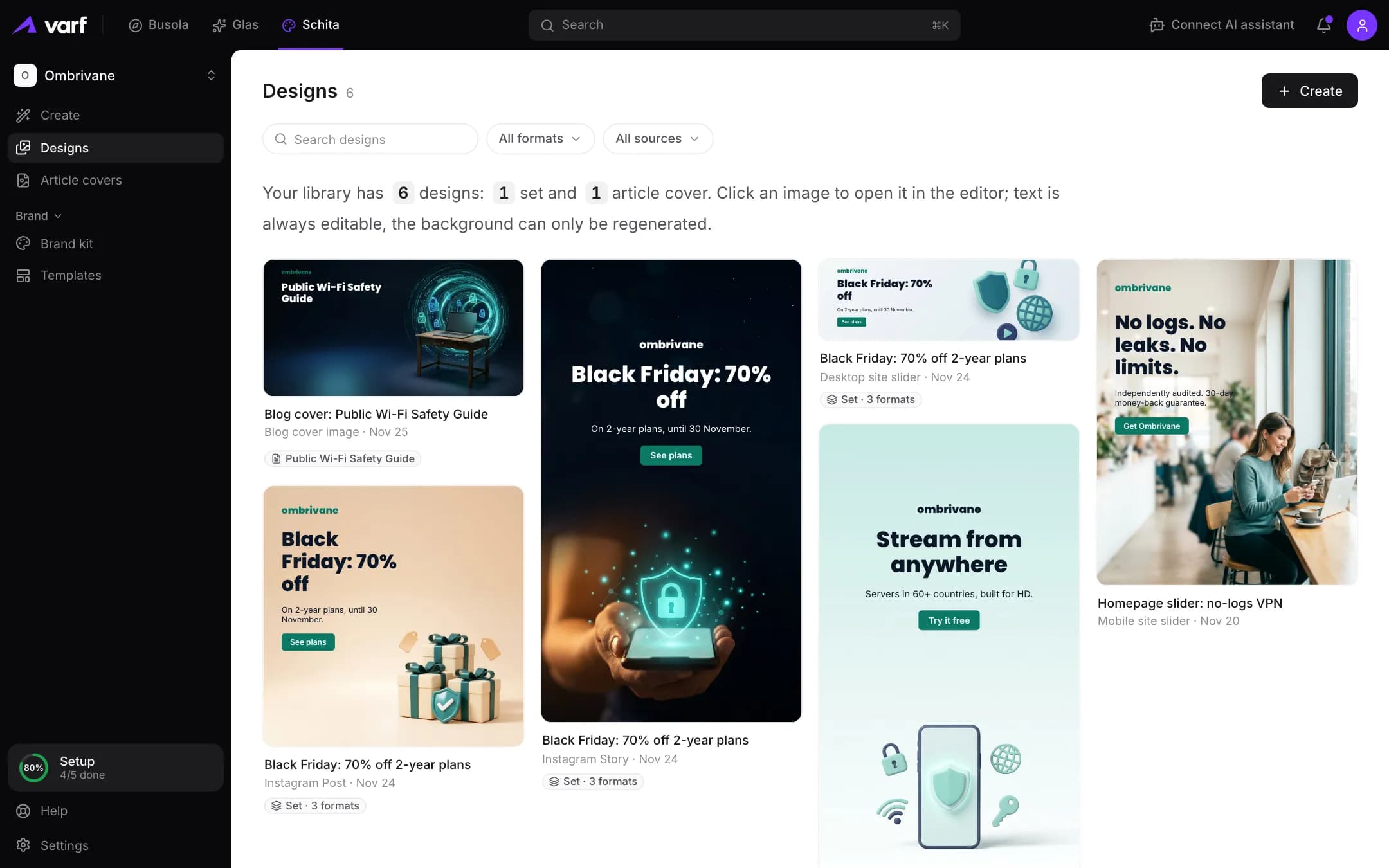
You’ll describe the campaign and choose formats: square and portrait posts, stories, website banners and article covers. Schita will generate three backgrounds per format; pick one for each and they are saved together as a set.
- The brief is the background prompt. Text is never baked into the image.
- Several formats make a set, so a campaign looks the same on every channel.
- Add up to 4 reference images to steer the style.
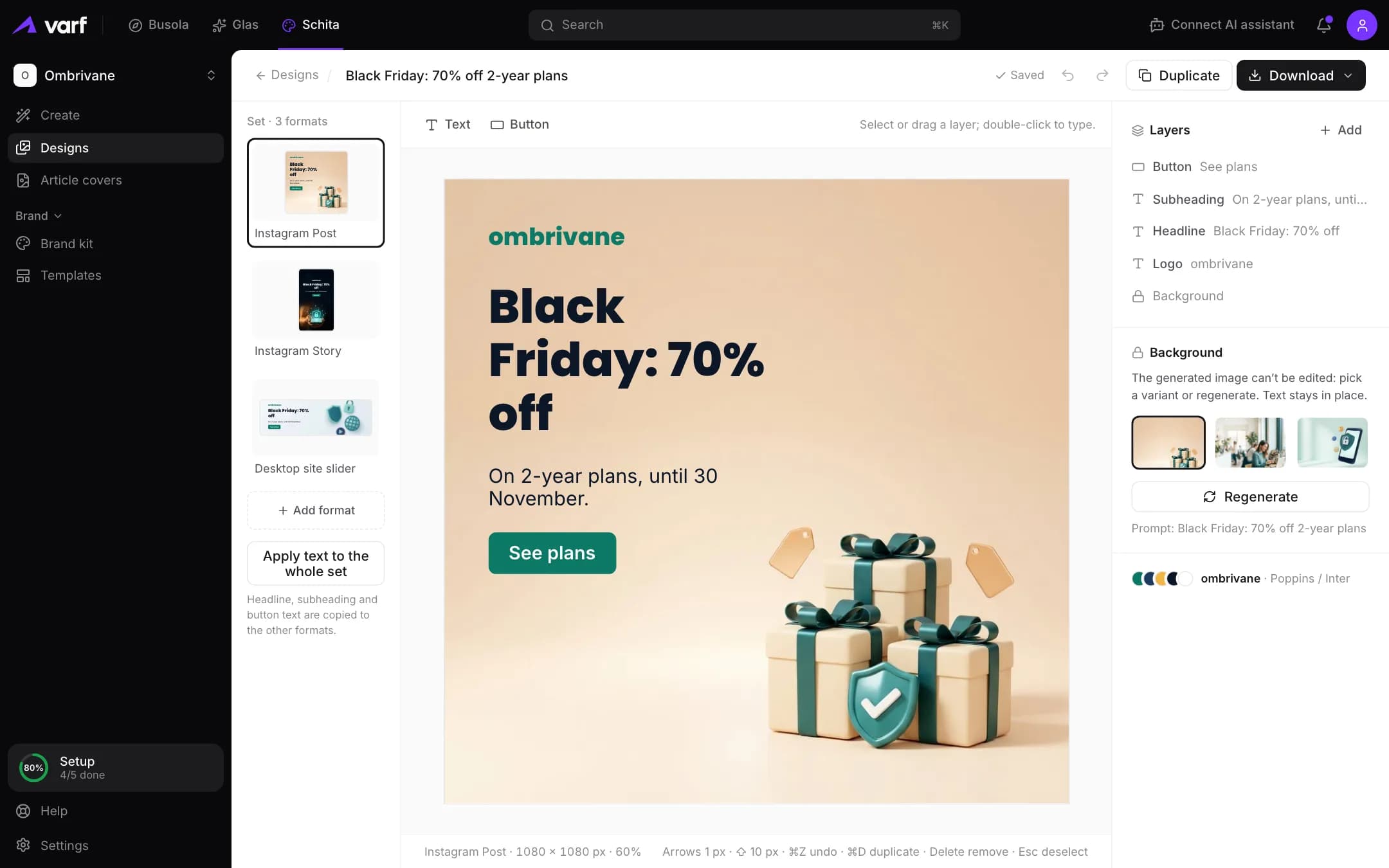
Editor
Change the words, keep the design.
Headline, subheading, button and logo will sit on their own layers. Edit them once and apply the change to the whole set; the safe area shows where each channel crops.
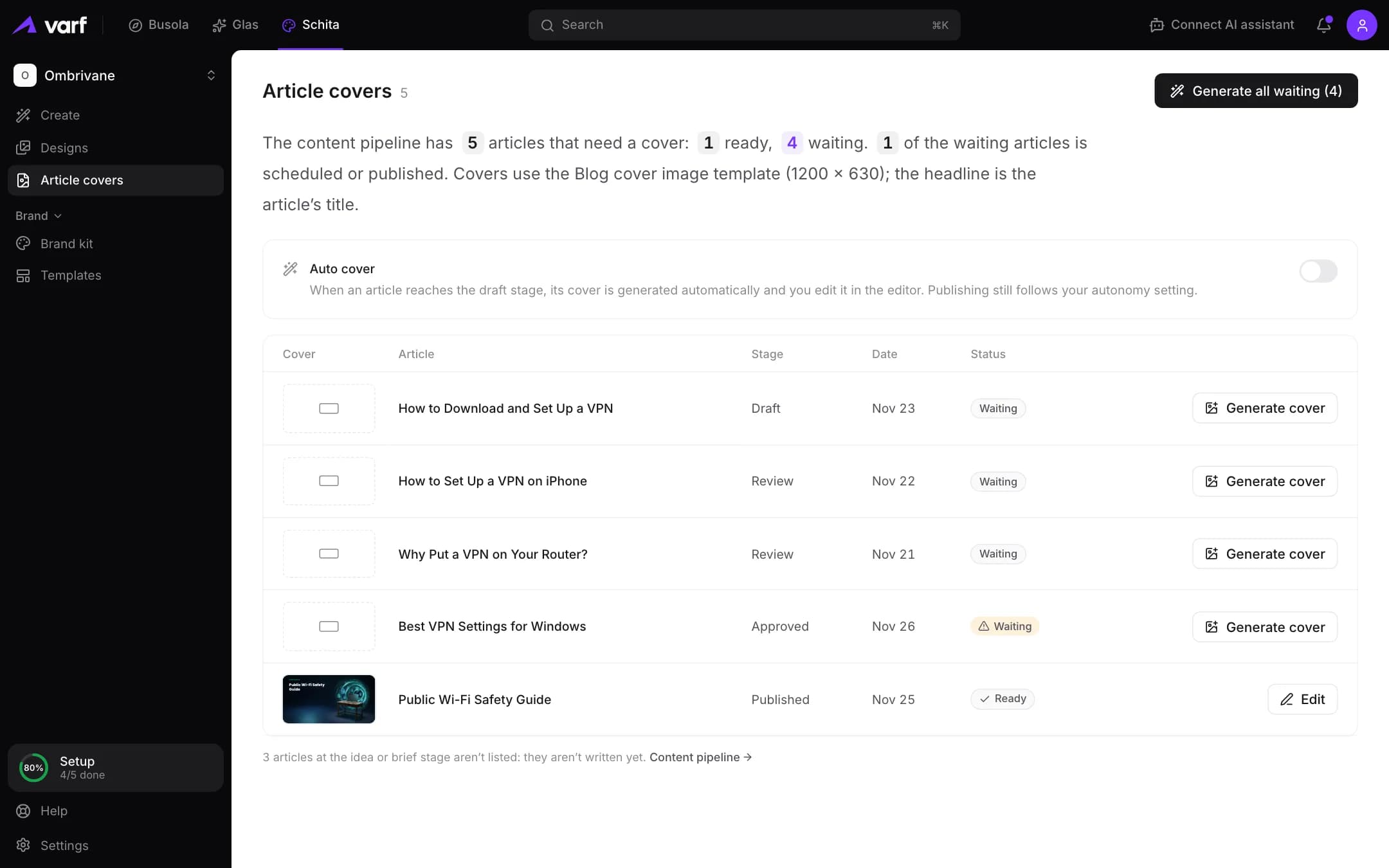
Article covers
A cover for every article.
When an article in Busola reaches the draft stage, Schita will be able to generate its cover automatically, with the article’s title as the headline. Publishing still follows your autonomy level.
Brand kit
Your brand, every time.
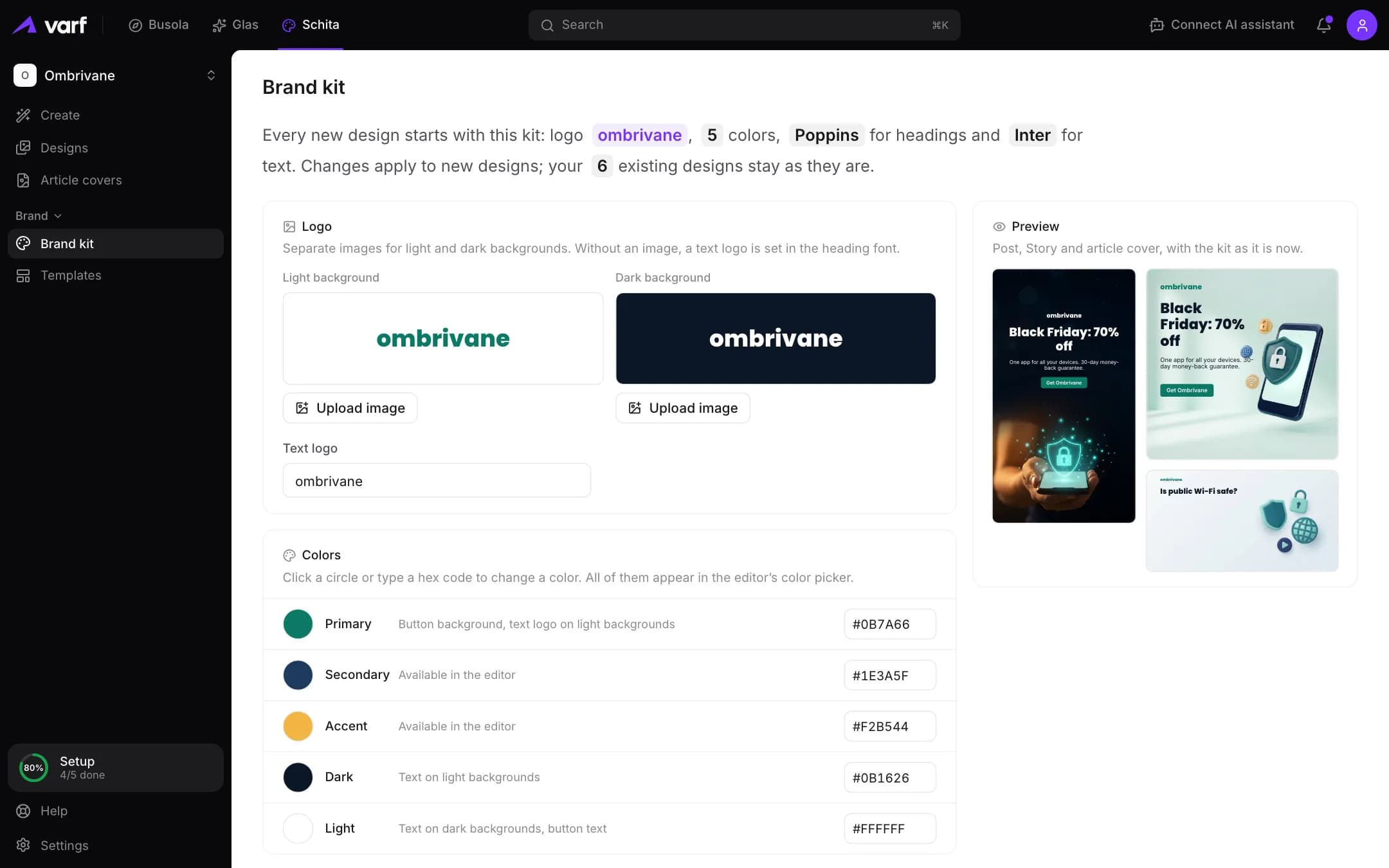
You’ll set your logo, colors and fonts once. Every new design will start from the kit, and Schita will check text contrast against your colors. Templates capture a style from 1 to 4 reference images.
Frequently asked questions
What is Schita?
Schita is Varf’s visual studio, coming soon. It will turn one brief into on-brand visuals in several formats: square and portrait posts, stories, website banners and article covers.
When can I use Schita?
Not yet: Schita is in development, and the screens on this page are previews. Varf will announce it when it opens.
Does Schita put text into the image?
No. Backgrounds will be generated without text, and your text will sit on separate layers, so you can change it any time without generating again.
Can Schita follow my brand?
Yes. The brand kit will hold your logo, five color roles and your fonts, and every new design will start from it.
Does Schita work with Varf’s articles?
Yes. Articles from the content pipeline will get a cover in the blog cover format, with the article’s title as the headline, automatically if you turn on auto cover.
How do I use the designs?
You’ll download them as PNG files in each format’s exact size, or let Varf attach covers to articles before publishing.
Put your site on the loop.
Add your site and connect Search Console. Varf starts collecting right away and shows its first findings as soon as the first sync finishes.