Busola · SEO

Busola is Varf’s SEO agent. It finds what holds your pages back, and writes the fix.

Busola reads your Search Console data, rankings, competitors and crawl results every day, turns errors and opportunities into recommendations with the evidence and the fix, writes and publishes articles at your autonomy level and measures the page changes you approve for 28 days.

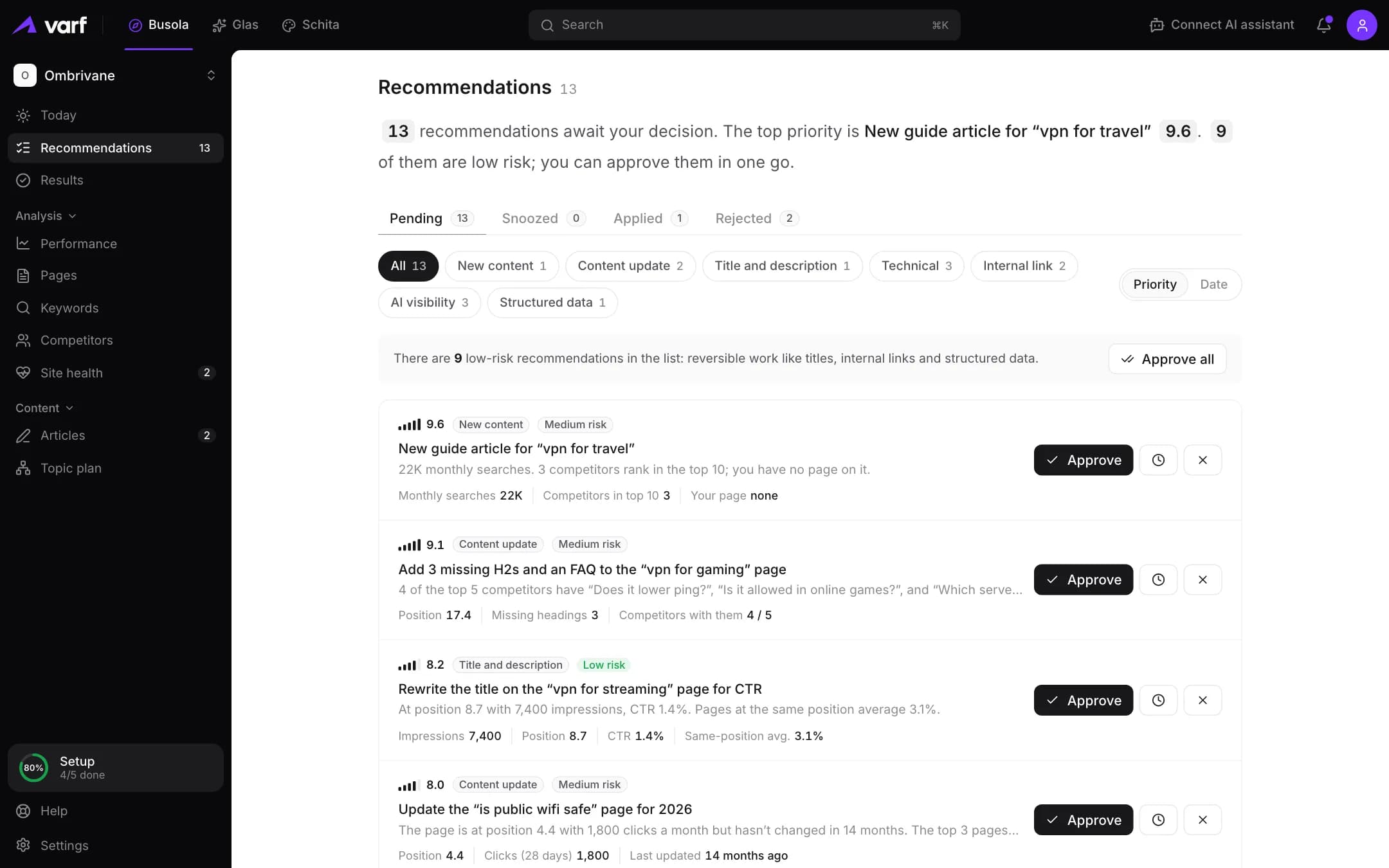
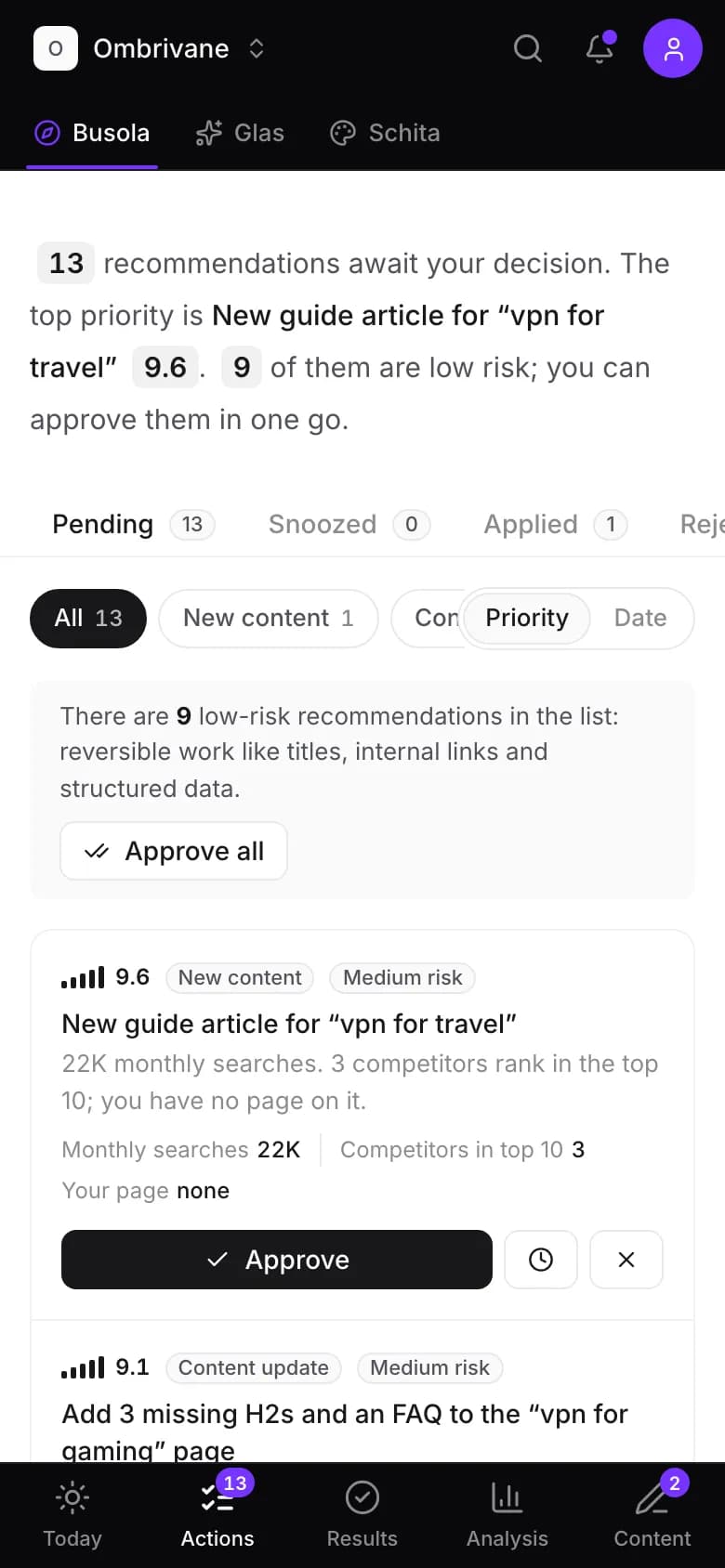
Busola’s Recommendations: open plans sorted by score
Sample workspace, sample data.

Every day

Three screens for the daily work. Today, Recommendations, Results.

Busola is built around a short routine: see what changed, decide what to do, check what worked.

  • Today

    Clicks and impressions for the last 28 days, the pages losing clicks, the top recommendations and the latest results, on one screen.
  • Recommendations

    Every open plan with its reason, evidence, score and risk. Approve, snooze or reject in one click.
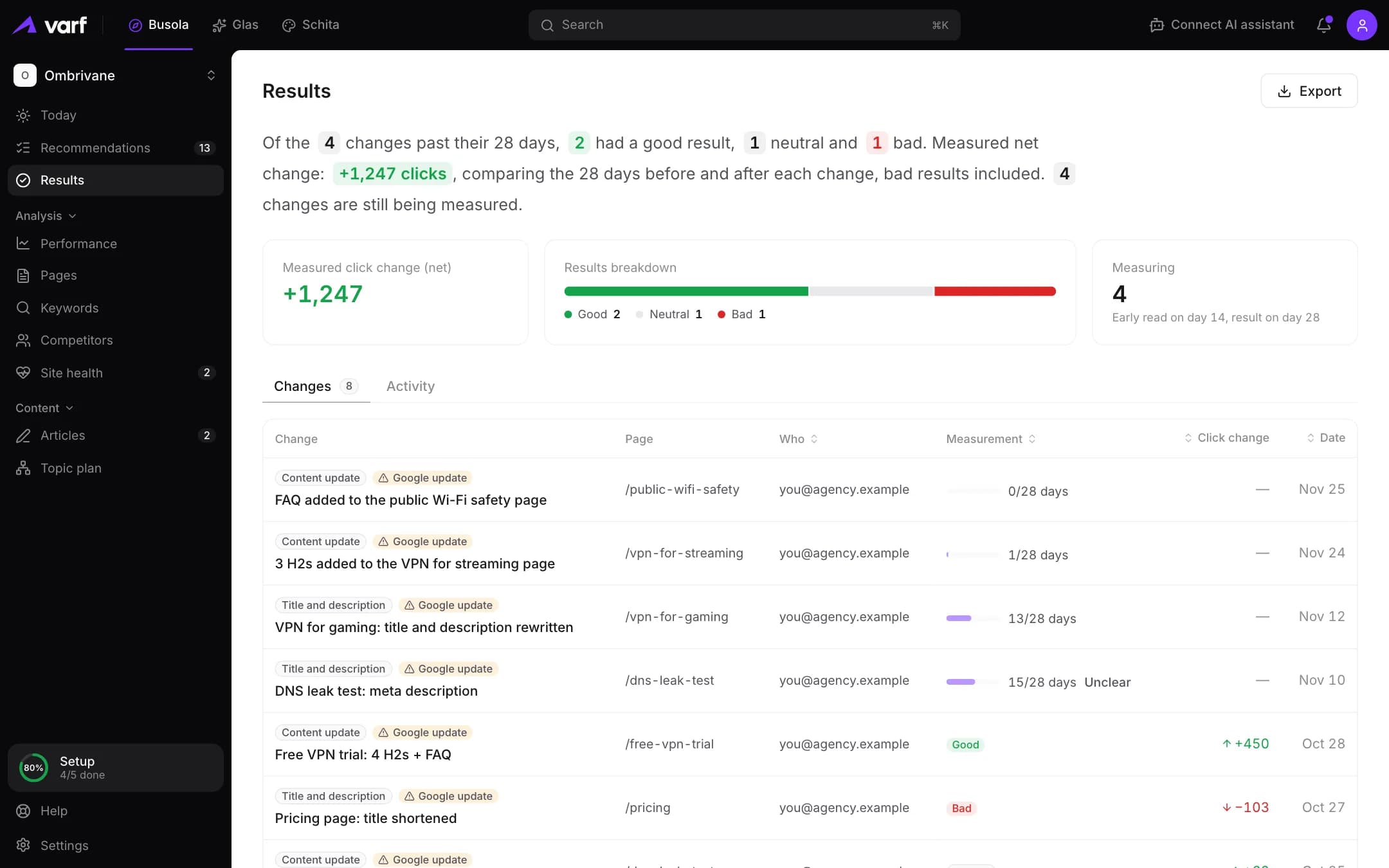
  • Results

    Every page change and speed fix you approve, measured for 28 days, with an early reading on day 14 and a final verdict.
Results: changes being measured and completed verdicts
Sample workspace, sample data.

Recommendations

What Busola recommends. Each type has a clear rule.

A recommendation appears only when its rule fires on your own data. These are the rules Busola uses.

TypeWhen it appearsWhat the plan says
Low click-through rateThe page is in the top 10, but its CTR is below 60% of what pages at the same position get, with at least 20 expected clicks.Rewrite the title and meta description for the queries the page already ranks for.
Striking distanceA query sits at positions 4 to 15 with at least 0.1% of your site’s impressions (100 to 2,000).Strengthen the page for that query: headings, content and internal links.
Click dropThe page lost at least 30% of its clicks, beyond your site’s trend and normal noise.Find what changed, rankings, queries or a competing page, and fix it.
Content gapA competitor is in Google’s top 10 for a keyword with at least 50 monthly searches, and you aren’t in the top 100.Write a new article for that keyword, with a brief built from the top results.
TechnicalA site health rule or a Search Console check fails: broken links, redirect chains, canonical, sitemap or indexing problems.Fix the issue on the listed pages, with the evidence for each.
Structured dataSearch Console finds rich result errors in the structured data of your most important pages.Fix the structured data on the listed pages, with the errors for each type.
Page speedReal Chrome visitors on phones get a poor LCP, INP or CLS over the last 28 days, on the whole site or a key page.Fix the poor metrics; the evidence shows each one against Google’s limit.
AI visibilityAI assistants mention competitors but not you, or AI search bots are blocked in robots.txt.Add the missing content, or open access for the bots.

Analysis

Everything behind the recommendations. Open to explore.

The analysis screens show the data Busola works from, so you can check any recommendation yourself or look for your own opportunities.

  • Performance

    Clicks, impressions, CTR and position over 28 days or 3 months, next to the period before, with queries, countries and devices.
  • Pages

    Every page with its clicks and top query. Open one to see all its queries and the recommendations and changes on it.
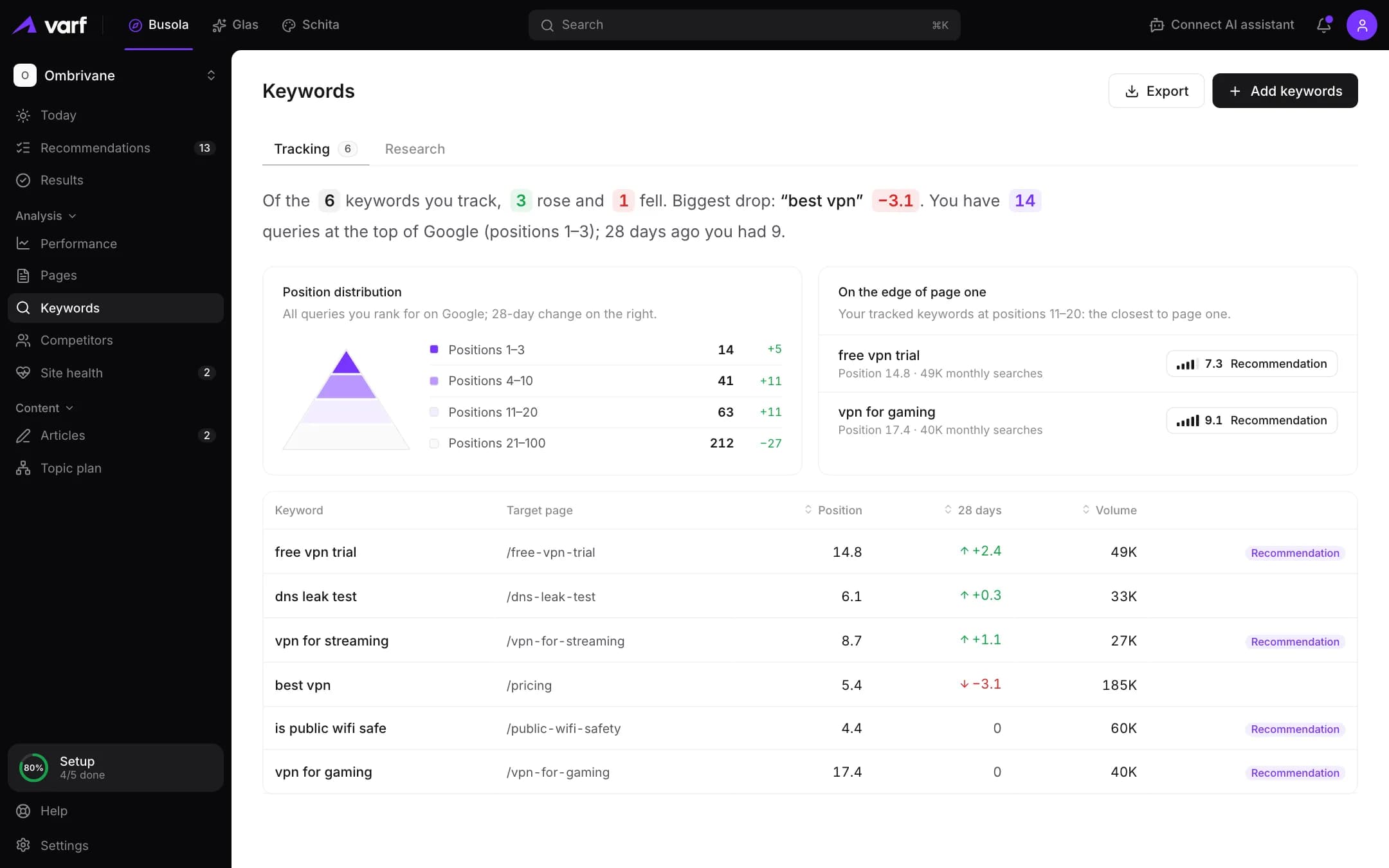
  • Keywords

    The keywords your site ranks for, research with monthly searches and difficulty, and daily rank tracking for the ones you choose.
  • Competitors

    Up to 10 competitors: the keywords they rank for and you don’t, and the ones you share.
  • Site health

    A weekly crawl with 32 rules, a health score, page speed from Chrome UX Report and what changed since the last crawl.
Keywords: the keywords the site ranks for, with position, monthly searches and difficulty
Sample workspace, sample data.

Content

Articles, from plan to publish. With a source for every figure.

Busola plans topics from real searches, writes the brief from the top results and drafts the article. You review it in the editor, or let Varf publish it when it passes the checks.

  1. 1

    Topic plan

    Give a seed keyword and Busola groups related searches into topics, with monthly searches, difficulty and the page you already have.
  2. 2

    Brief

    The top 10 results, up to 10 questions people ask, the outlines of the top 5 pages, a word target and internal link candidates.
  3. 3

    Draft

    800 to 2,500 words with headings, an FAQ section, 2 to 5 internal links and a source for every number.
  4. 4

    Review

    Edit in the editor, compare versions, then approve or schedule.
  5. 5

    Publish

    To WordPress or your own webhook, as a draft or a live post.
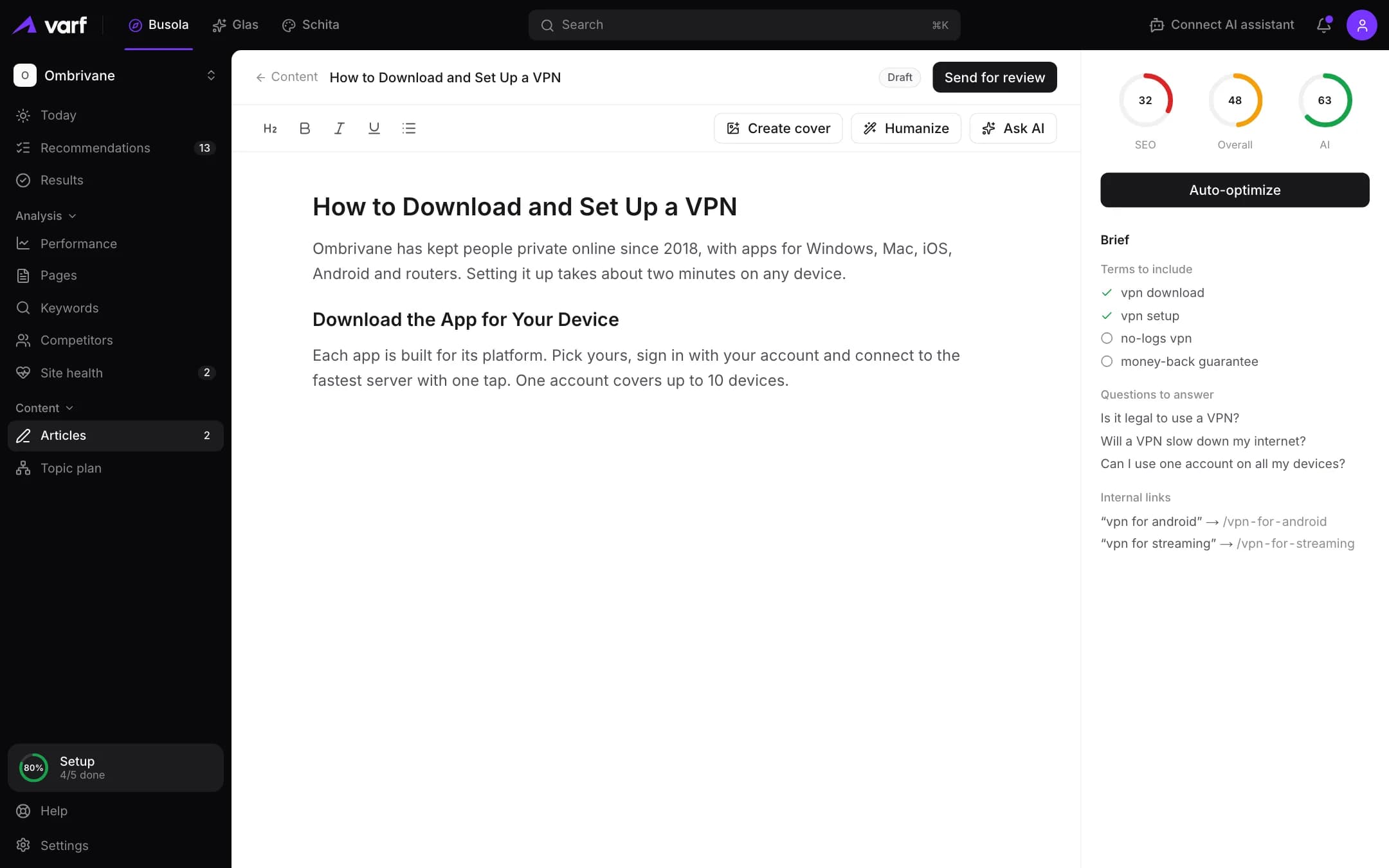
The article editor with the draft, its sources and its checks
Sample workspace, sample data.

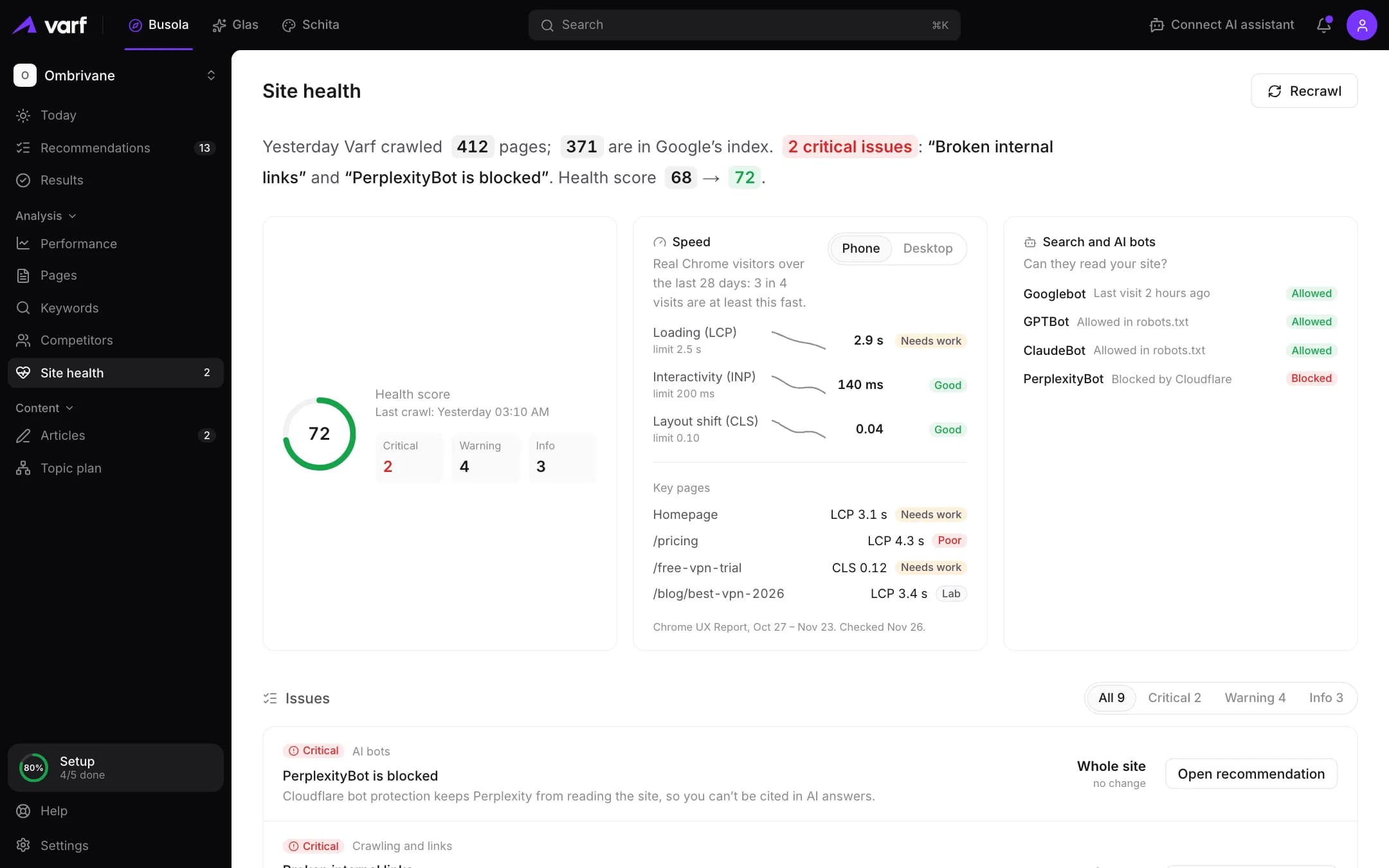
Site health

A weekly technical check. By VarfBot.

VarfBot crawls your site once a week and whenever you press Crawl now. It checks every page against 32 rules and shows what is new, what is ongoing and what you fixed.

  • Critical: server errors, broken links, redirect loops, pages blocked by robots.txt.
  • Warnings: missing or duplicate titles and descriptions, missing H1, canonical problems, pages missing from the sitemap, slow or heavy pages.
  • Info: long or short titles, images without alt text, pages no other page links to.
  • Speed: Core Web Vitals on phones and desktops for the whole site and key pages, from Google’s Chrome UX Report every morning, or a lab test when a page has too few Chrome visitors.
  • Polite by design: at most 2 requests per second, and it follows robots.txt and Crawl-delay.
About VarfBot
Site health: the health score and the issues found in the latest crawl
Sample workspace, sample data.

Frequently asked questions

What is Busola?

Busola is Varf’s SEO agent. It works on your site’s Google search performance: it finds technical errors, pages losing clicks, near-wins and competitor gaps, turns them into recommendations with the fix, writes and publishes articles at your autonomy level and measures the result.

Does Busola need Search Console?

For click-based recommendations and for measuring results, yes. Keyword research, rank tracking, competitors and site health work from your domain alone.

How often are recommendations updated?

Every morning after the Search Console sync, and after every crawl. Varf keeps at most 20 open recommendations per rule, highest score first.

Can Busola write articles?

Yes. It plans topics, writes the brief and the draft, and publishes approved articles to WordPress or your webhook. Every figure in a draft needs a source, otherwise it isn’t published automatically.

How are keywords tracked?

Every morning Varf checks each tracked keyword in Google’s mobile top 100 and records your position, the ranking page and the search features around it.

Which search market does Busola cover?

Keyword and ranking data covers Google in Türkiye, and articles are written in Turkish. Search Console data covers every country your site appears in.

Put your site on the loop.

Add your site and connect Search Console. Varf starts collecting right away and shows its first findings as soon as the first sync finishes.