Autonomy
You decide how far Varf goes. And you can change it any time.
Autonomy is the setting that decides what Varf may do without asking. Today it covers articles: in manual mode you start every draft and publish it yourself; in semi-auto Varf drafts every new idea and your approval publishes it; in full auto Varf publishes the drafts that pass every check. Recommendations always wait for your decision. Every site starts in manual.
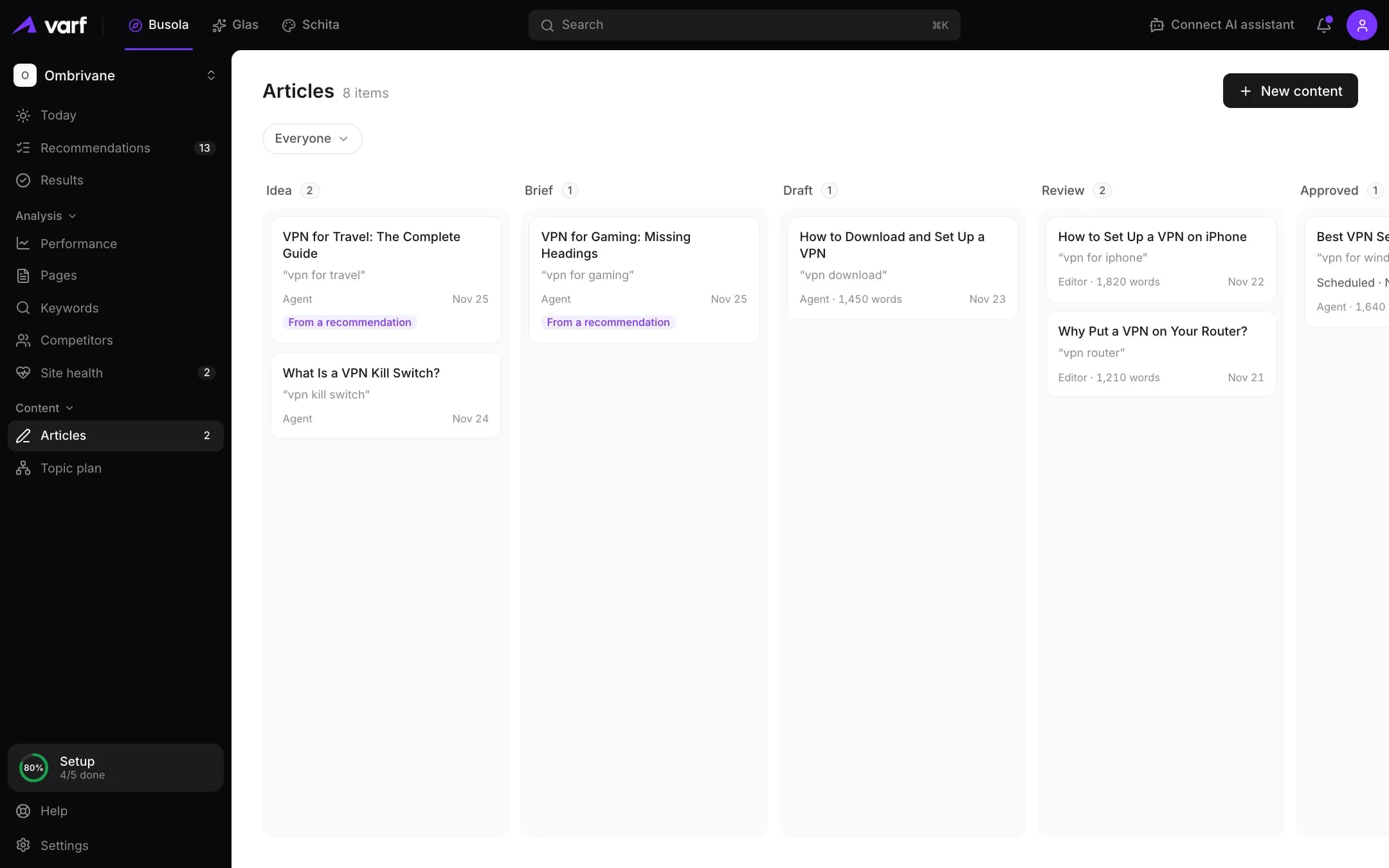
Three levels. One per site.
Each site has its own autonomy level, so you can let Varf run one site’s articles and keep another in your hands.
Manual
Varf writes briefs and drafts only when you ask. You approve each article and publish it.Semi-auto
Varf drafts every new article idea. Approving an article publishes it.Full auto
Varf drafts every new idea and publishes the articles that pass every check, up to 3 a day. The rest wait for you in Review.
Checks before automatic publishing.
In full auto, an article is published only when it passes every check. Otherwise it waits for you in Review, with the reasons.
- Every number in the text has a source.
- The target keyword is in the title or the first paragraph.
- It has at least 500 words.
- Your site doesn’t already rank for that keyword.
- A publishing connector is set up.
- Fewer than 3 articles were published automatically today.
Recommendations wait for you. At every level.
You apply a recommendation on your site with the text Varf has ready, such as the new title or the missing headings, then approve it. Varf measures each page change you approve for 28 days. Low-risk recommendations can be approved together in one go.
Coming soon
Applying recommendations by risk. With an undo.
Next, your autonomy level will also decide which recommendations Varf applies on its own, by their risk level. Automatic changes will be measured like any other and can be undone from Varf. Some actions will always need your approval, at every level: uploading a disavow file, brand or legal wording and irreversible bulk deletion.
| Risk | Examples | Manual | Semi-auto | Full auto |
|---|---|---|---|---|
| Low | Titles and meta descriptions, internal links, FAQ and headings, schema markup, sitemap fixes | Approval | Automatic | Automatic |
| Medium | Content updates, new articles, redirects and canonicals, indexing and robots.txt changes | Approval | Approval | Automatic |
| High | Noindex and pruning, bulk changes | Approval | Approval | Approval |
Who can change it.
Autonomy is set per site in Settings › Autonomy. Only admins can change it; editors and viewers see the current level.
Frequently asked questions
What is the default level?
Manual. A new site starts in manual mode, so Varf drafts and publishes nothing until you ask or choose another level.
Can I change the level later?
Yes, any time. The new level applies from then on; articles already published stay as they are.
Does autonomy apply recommendations?
Not yet. Today every recommendation waits for your decision, whatever the level, and you apply it with the text Varf has ready. Applying recommendations automatically by risk level is coming soon.
What counts as low risk?
Changes that are small, easy to reverse and limited to one page, such as a page title, an internal link or schema markup. Low-risk recommendations can be approved together in one go.
Does autonomy affect my article quota?
Yes. In semi-auto and full auto Varf drafts every new article idea, and each draft uses one of the month’s drafts.
How do I stop automatic publishing?
Switch back to manual. From then on Varf drafts and publishes only when you ask.
Put your site on the loop.
Add your site and connect Search Console. Varf starts collecting right away and shows its first findings as soon as the first sync finishes.