How it works
One loop, five steps. Running every day.
Varf works in a loop: it collects your site’s data, detects errors and opportunities, plans the fixes with the text ready to apply, publishes articles as far as you allow and measures the result. Each step feeds the next, every day, for every site you add.
Step 1
Collect. Your site’s data from every source.
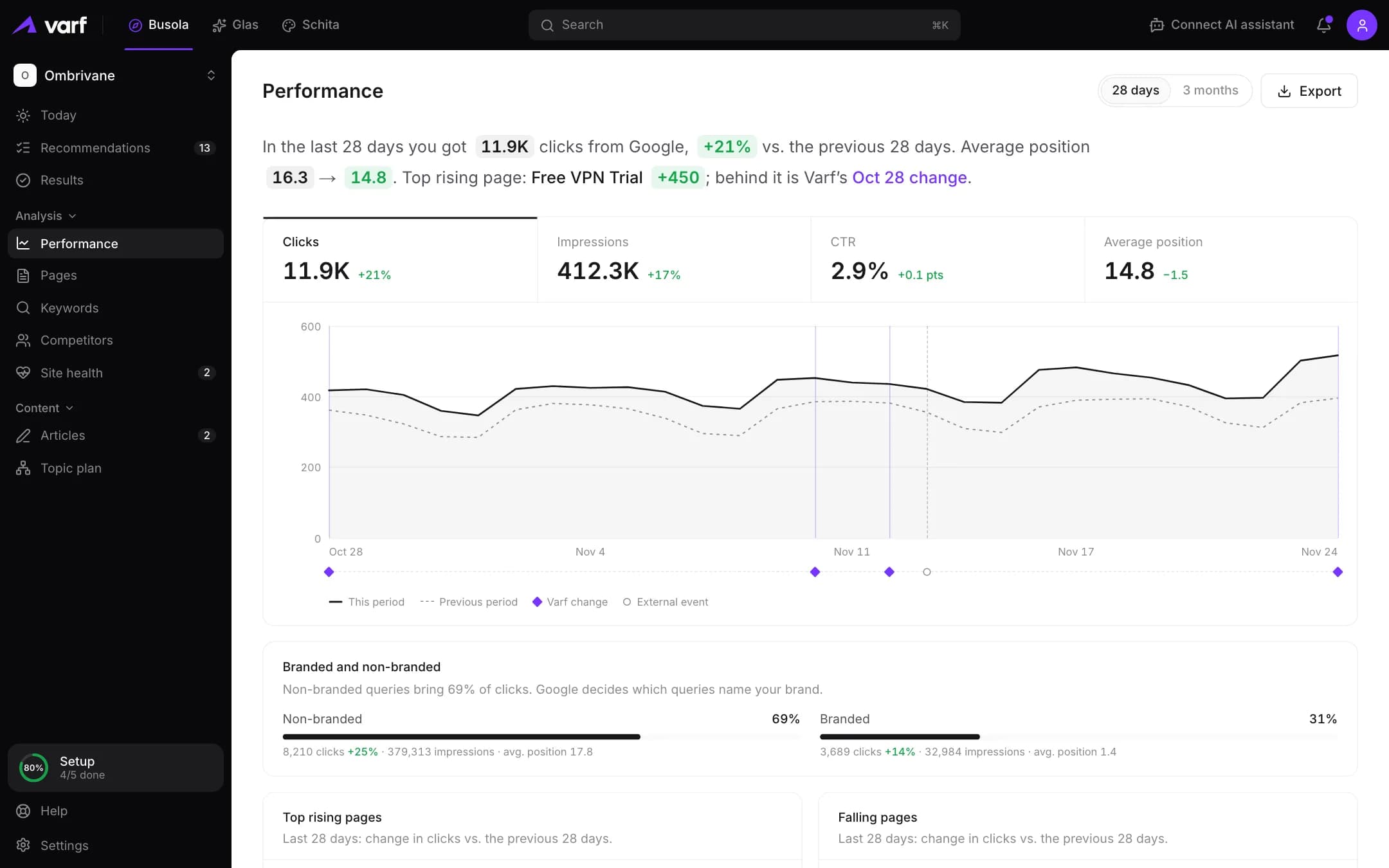
Collecting means bringing every signal about your site into one place: how it performs in Google, who visits it, where it ranks, what is broken and what AI assistants say about it.
- Search Console syncs every morning at 06:00, Türkiye time: pages, queries, countries and devices for the last 28 and 90 days, next to the period before.
- Google Analytics 4 syncs at 06:15: sessions, key events and visits from AI assistants.
- Tracked keywords are checked at 06:30 in Google’s mobile top 100.
- Your AI questions are asked at 07:00 in ChatGPT, Gemini and Google’s AI Overview.
- VarfBot crawls your site when you add it, then every week.
What you do: Connect Search Console and, if you like, Google Analytics. The rest runs on its own.
Step 2
Detect. Errors and opportunities, by rule.
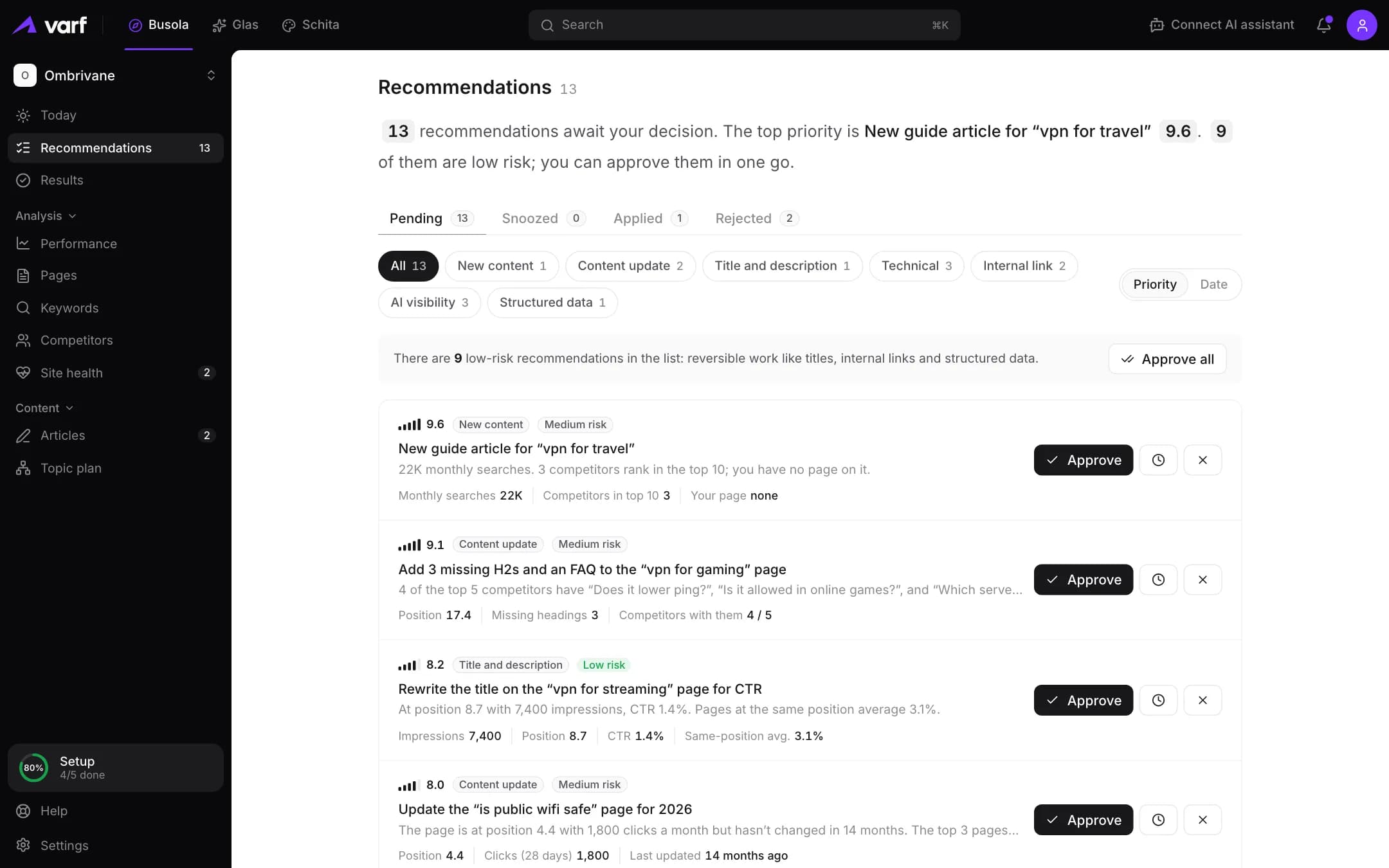
Detecting means comparing the collected data with rules that describe a problem or an opportunity. Every rule has an explicit threshold, so every finding can be explained.
- Low click-through rate: a page in the top 10 whose CTR is below 60% of what pages at the same position get, with at least 20 expected clicks.
- Striking distance: queries at positions 4 to 15 with at least 0.1% of your site’s impressions (100 to 2,000).
- Click drop: a page that lost at least 30% of its clicks beyond your site’s trend and normal noise.
- Content gap: a keyword with at least 50 monthly searches where a competitor is in Google’s top 10 and you aren’t in the top 100.
- Technical: 32 crawl rules, plus Search Console checks for sitemaps and indexing.
- Structured data: rich result errors that Search Console finds on your most important pages.
- Page speed: a poor phone LCP, INP or CLS for real Chrome visitors over 28 days (Chrome UX Report), on the whole site or a key page.
- AI visibility: questions where AI assistants mention competitors but not you, and AI search bots blocked in robots.txt.
What you do: Nothing. Findings appear on Today and in Recommendations.
Step 3
Plan. What to do, where and why.
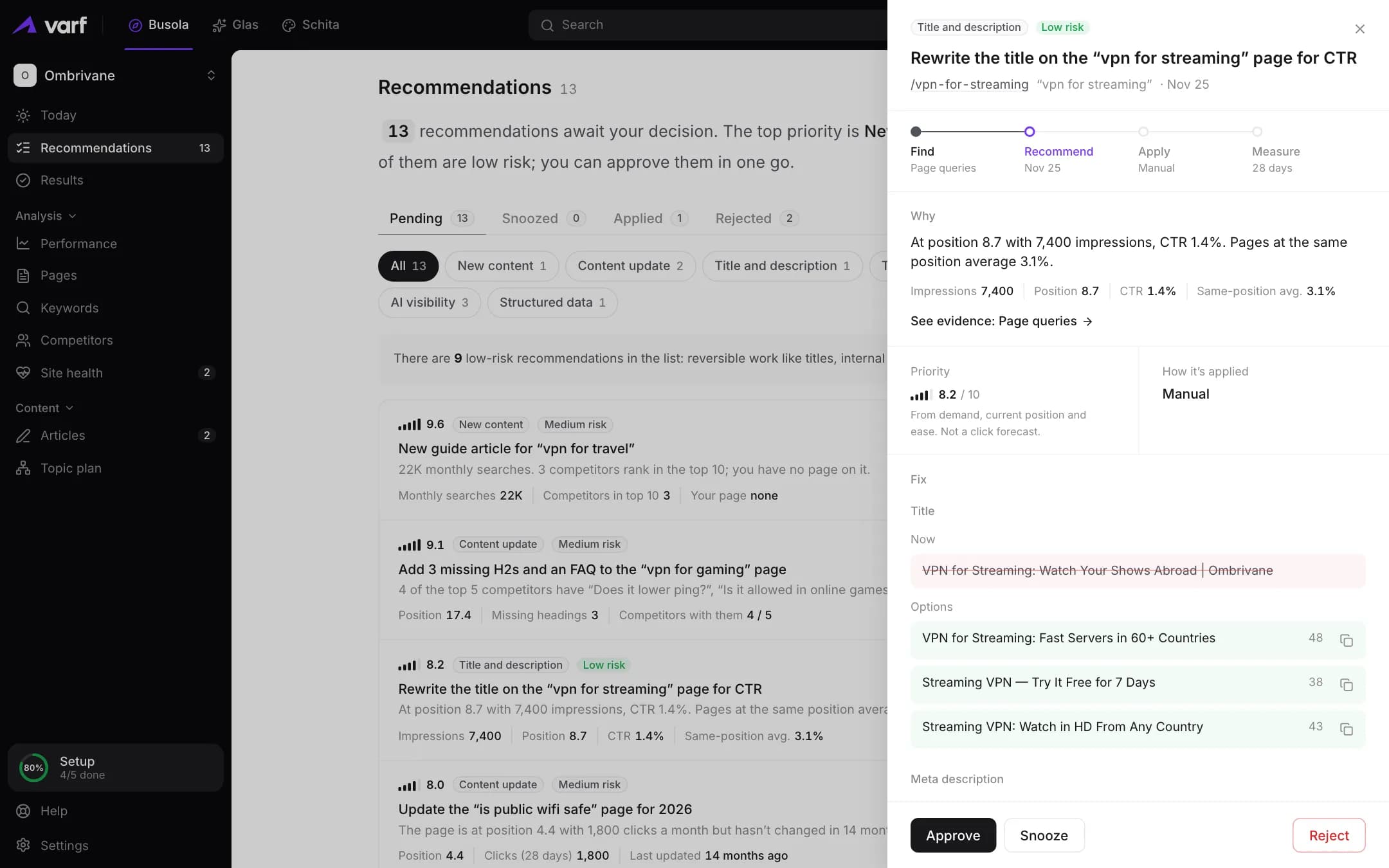
Planning means turning a finding into a concrete change with a reason, evidence, a priority and a risk level. Varf keeps the list short: at most 20 open plans per rule, highest score first.
- What to change, on which page or for which keyword.
- The fix, where it can be spelled out: what the page has now and what it should have, ready to copy. Varf writes title, description and FAQ options when you ask.
- Why: the rule that fired and the numbers behind it.
- Priority: a score from 0 to 10.
- Risk: low, medium or high. Low-risk plans can be approved together in one go.
What you do: Approve, snooze or reject. A snoozed plan comes back after 7 days; a rejected one stays away for 90.
Step 4
Apply. With the text ready.
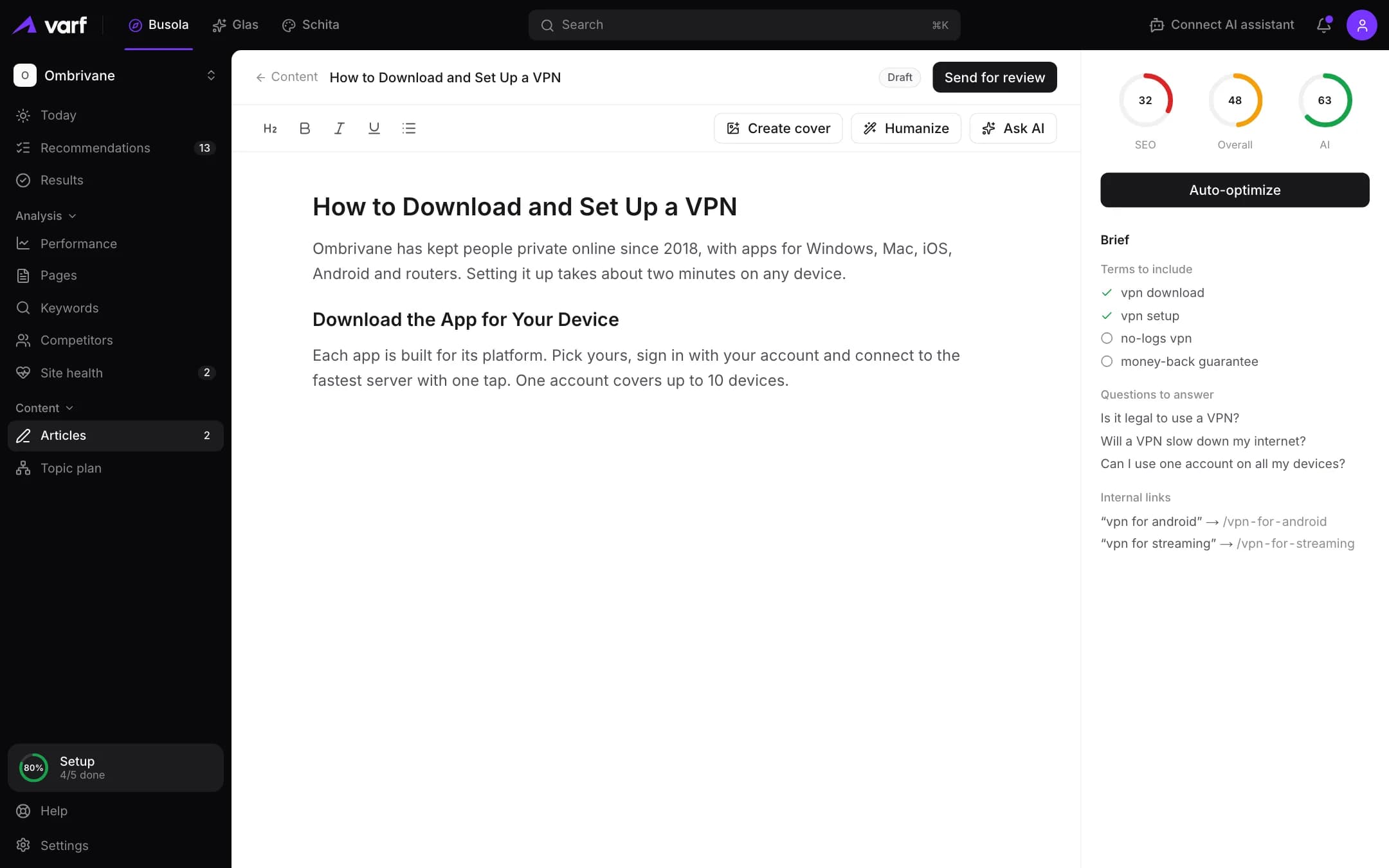
Applying means making the change on your site. For a recommendation, you make the change with the text Varf has ready, then approve it so measurement starts. For articles, your autonomy level decides how far Varf goes, up to publishing through WordPress or your webhook.
- Manual: you start each brief and draft, approve the article and publish it.
- Semi-auto: Varf drafts every new article idea; approving an article publishes it.
- Full auto: Varf publishes the drafts that pass every check, up to 3 a day.
- Coming soon: recommendations applied automatically by risk level, with an undo.
What you do: Choose the autonomy level once. Change it whenever you like.
Step 5
Measure. 28 days, with an early reading on day 14.
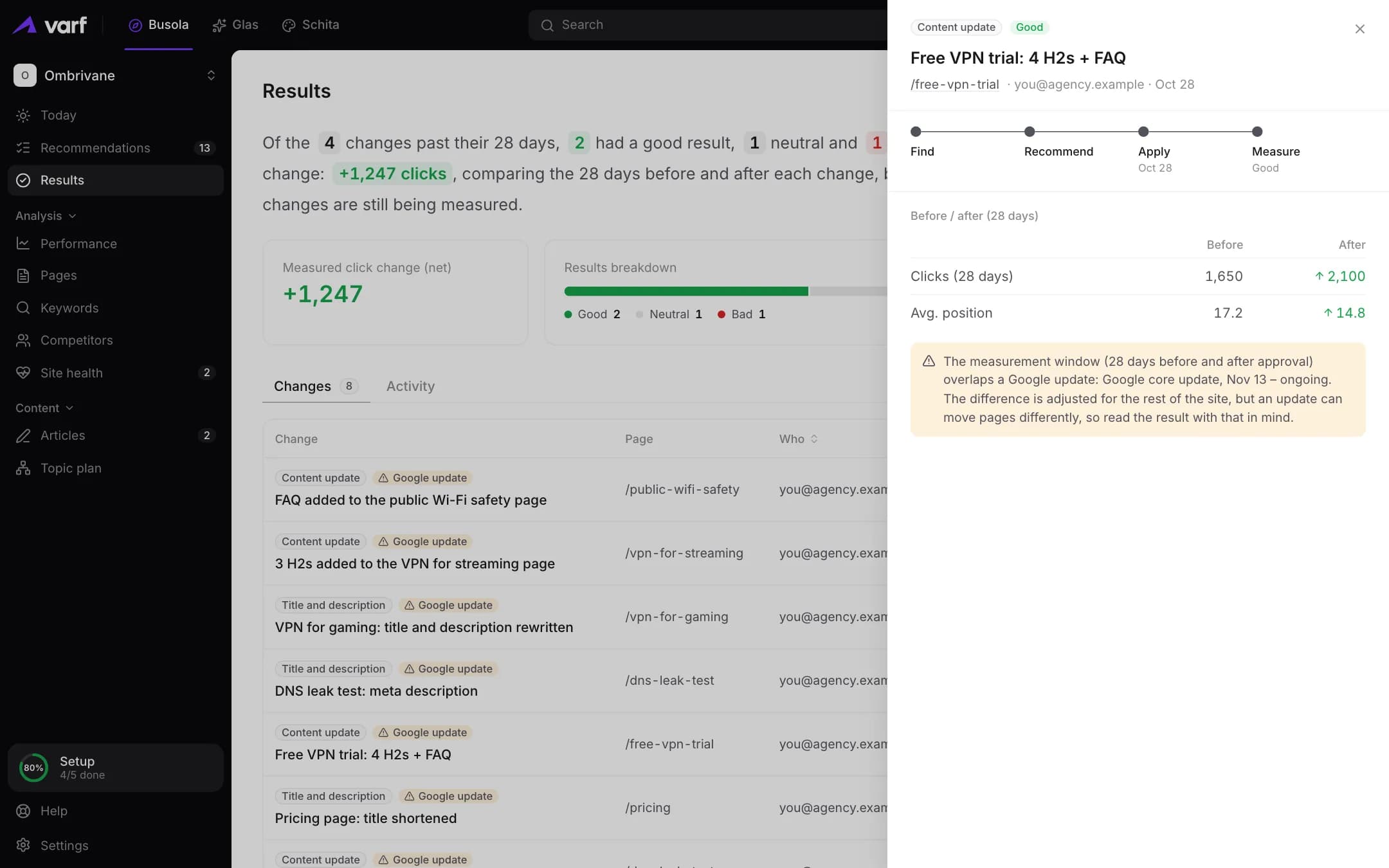
Measuring means checking whether a change helped. When you approve a change to a page, Varf compares the page’s 28 days after with the 28 days before, adjusted for the rest of your site. Today that covers titles, descriptions and content updates; speed fixes are measured in Google’s Chrome UX Report by phone LCP, INP and CLS. Measuring other work is coming soon.
- Day 14: a reading of the direction so far: trending up, unclear or trending down.
- Day 28: a verdict: good, neutral or bad.
- Good or bad only when the difference is beyond random variation and at least 10% of the expected clicks.
What you do: Read the verdict on Results. If a change hurt, Varf tells you.
Frequently asked questions
How often does the loop run?
Every day. Data syncs each morning, findings and plans update after each sync and crawl, and measurements update daily until day 28.
How long until the first findings?
Minutes. When you connect Search Console, Varf fetches your data right away and builds the first recommendations when the sync finishes. The first crawl starts as soon as you add your site and ends within an hour.
Can I use Varf without Search Console?
Partly. Keyword research, rank tracking, competitors, site health and Glas work from your domain alone. Click-based recommendations and the measurement of results need Search Console.
What if I disagree with a plan?
Reject it and give a reason. Varf won’t suggest the same plan again for 90 days. If you only want to wait, snooze it for 7 days.
Why 28 days?
Four full weeks contain each day of the week four times, which evens out weekly patterns, and give Google time to recrawl and re-rank the page.
Put your site on the loop.
Add your site and connect Search Console. Varf starts collecting right away and shows its first findings as soon as the first sync finishes.